
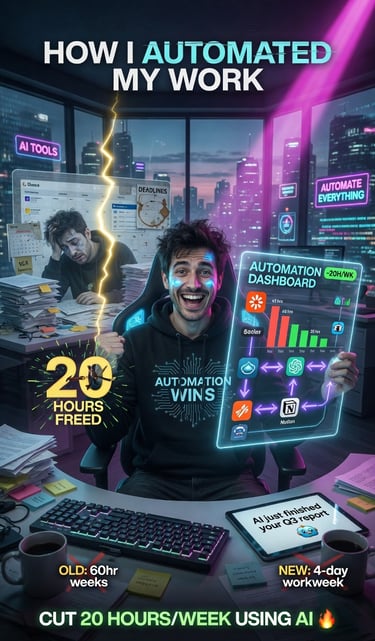
How I Automated My Work and Cut 20 Hours Per Week Using AI Tools and Automation.
Tired of feeling like your workdays never end? I used to spend over 60 hours a week buried in repetitive tasks — answering the same emails, organizing spreadsheets, chasing follow-ups, and jumping between tools. Then I discovered the power of AI tools and smart automation. The result? I slashed my workload by 20 hours per week while actually getting more done. If you’re a freelancer, entrepreneur, or busy professional drowning in tasks, this post is for you. I’ll walk you through exactly how I did it, the tools that made it possible, and how you can start automating your own work today.
6/2/20262 min read

Why Most People Stay Overwhelmed (And How Automation Changes Everything)
The average knowledge worker wastes nearly 40% of their time on repetitive, low-value tasks. That’s time stolen from strategy, creativity, growth, and even rest.
Automation + AI flips this reality. Instead of working harder, you build systems that work for you. I went from chaotic days to calm, focused weeks — and my income actually increased because I had time to focus on high-value activities.
Step 1: Identify the Tasks Draining Your Time
Before touching any tool, I made a list of everything I did in a normal week. Here’s what I discovered:
Replying to similar client emails
Scheduling meetings and sending reminders
Data entry and spreadsheet updates
Content research and first drafts
Social media posting and basic engagement
Invoice chasing and basic reporting
Pro tip: Track your time for 3–5 days using a tool like Toggl or RescueTime. You’ll quickly spot the biggest time vampires.
Step 2: The Essential AI + Automation Stack I Use Daily
Here’s the exact combination that helped me reclaim 20+ hours:
Core AI Tools:
ChatGPT / Claude / Grok — For writing emails, proposals, content outlines, and brainstorming
Notion AI — To organize projects and auto-generate meeting notes
Perplexity.ai — Lightning-fast research with sources
Automation Platforms:
Make.com (formerly Integromat) — My favorite for complex workflows
Zapier — Perfect for beginners
n8n — Open-source option if you want more control
Specialized Tools:
Superhuman or SaneBox — Smart email management
Calendly + SavvyCal — Automated scheduling with smart buffers
Airtable + Interfaces — Dynamic databases that update automatically
My Best Automations (That Save Me the Most Time)
Email Auto-Responder System AI scans incoming emails, categorizes them, drafts replies for common requests, and only flags important ones for my personal attention.
Content Creation Engine I feed topics into AI → get outlines → refine → auto-post to LinkedIn, Twitter/X, and newsletter using Make.com.
Client Onboarding Automation New client signs contract → automatic welcome sequence, questionnaire, folder creation, and calendar invite — all without me lifting a finger.
Weekly Report Generator Pulls data from multiple tools and creates a beautiful performance report every Monday morning.
These automations alone eliminated roughly 15–20 hours of manual work per week.
How to Get Started Without Feeling Overwhelmed
You don’t need to automate everything at once. Start small:
Week 1: Automate your email responses and scheduling
Week 2: Create your first content automation
Week 3: Build a client onboarding flow
Want a faster path?
I created a complete step-by-step system that thousands of professionals are already using to transform their workflows.
Final Thoughts: The Real Benefit Goes Beyond Time
Yes, saving 20 hours per week is incredible. But the best part is what you gain: more energy, clearer thinking, faster growth, and the freedom to work on the things that actually excite you.
You don’t need to be a programmer or spend thousands on fancy tools. You just need the right strategy and a few powerful systems.
Ready to reclaim your time?
Comment below: What’s the #1 task you wish you could automate in your work?
And if you’re serious about transforming how you work in 2026, click here to learn more about the AI Automation Mastery Program and start building your own automated workflow today.
You deserve to work smarter — not harder.
Stay
Get the latest AI tips and updates here.
Connect
© 2026. All rights reserved.